Spin
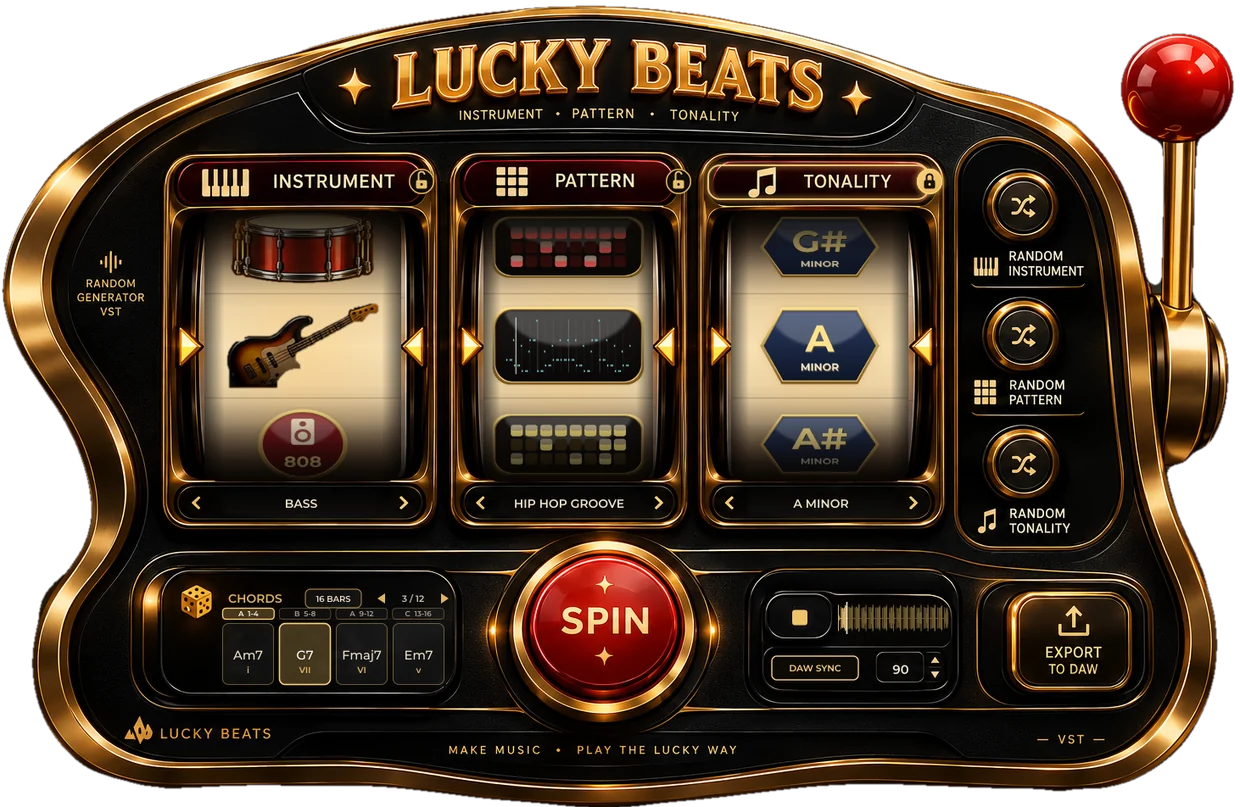
Pull the lever or hit SPIN and all three reels roll. The RANDOM buttons reroll a single reel, the ‹ › arrows let you pick by hand, and a padlock keeps a reel you like while the others spin.
A new free plug-in · Rems Plugins
Pull the lever. Get a beat.
A slot machine for producers. Three reels pick an instrument, a pattern and a key, a fourth panel deals the chords, and the loop plays right away. Like it? Drag it into your DAW as MIDI or audio. Don't? Spin again.
0 downloads
Two minutes inside Lucky Beats 1.4.1, filmed in the plug-in with its own sound, including a spin played by a VST synth (Halcyon). Turn your sound up.
The same three reels as in the plug-in, with the same lists. Spin them here to see what kind of combos you'll get, and click a padlock to keep a reel while the others roll. In the plug-in, the loop starts playing the moment the reels stop.
Pull the lever: Keys, Hip Hop Groove, A minor is where the machine left off.
Ten pulls of the lever in a row, straight out of the plug-in with its built-in sounds. Each loop is four bars, in key, at the machine's tempo. In the plug-in you can stretch it to 8, 12 or 16 bars.
Pull the lever or hit SPIN and all three reels roll. The RANDOM buttons reroll a single reel, the ‹ › arrows let you pick by hand, and a padlock keeps a reel you like while the others spin.
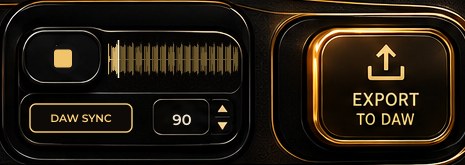
▶ plays the loop, 4 to 16 bars long. Set the tempo or click DAW SYNC to follow your project, roll the dice in CHORDS for another progression, and keep spinning until it clicks.
Drag EXPORT TO DAW onto a track and the MIDI is there. Click it for MIDI and WAV tags you can drag too, or click a tag to save the file in Documents/Lucky Beats.
All synthesized by the plug-in. Or play them with your own synth (see below).
The reel shows the notes that are really playing, as a mini piano roll with a playhead.
Every root, in major and in minor: 24 keys in all.
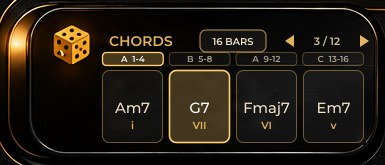
The CHORDS panel shows the chords of the loop with their degrees, for example Am7, G7, Fmaj7, Em7 (i, VII, VI, v), and the chord that's playing lights up.
Click RANDOM GENERATOR VST on the left of the machine and pick any VST3 or AU instrument installed on your computer: Serum, Analog Lab, Kontakt, or anything else.
Free for macOS (VST3 + AU + Standalone, Apple Silicon + Intel), Windows 10/11 (VST3 + Standalone, 64-bit) and Linux (VST3 + LV2 + Standalone).
Enter your email and the downloads open right away. No account, no license to activate.0 downloads
fix_mac_plugins.command: it installs the VST3 and the AU, unblocks them and forces a rescan.VST3/LuckyBeats.vst3 to ~/Library/Audio/Plug-Ins/VST3 and AU/LuckyBeats.component to ~/Library/Audio/Plug-Ins/Components. Logic and GarageBand only use the AU.LuckyBeats.vst3 folder (inside VST3) to C:\Program Files\Common Files\VST3.If SmartScreen warns about the standalone app, click More info → Run anyway. It isn't code-signed yet.
LuckyBeats.vst3 to ~/.vst3 and LuckyBeats.lv2 to ~/.lv2.The plug-in is not notarized by Apple yet, so macOS may block it. Paste this into Terminal, then restart your DAW:
xattr -dr com.apple.quarantine ~/Library/Audio/Plug-Ins/VST3/LuckyBeats.vst3 ~/Library/Audio/Plug-Ins/Components/LuckyBeats.component
Lucky Beats is free and stays free: no subscription, no account, no crippled demo. If one of its loops ends up in your tracks, a coffee pays for the dev hours and the next plug-ins.
Show us your winnings
What was your luckiest spin? Which instrument or groove should join the reels next? Sign in with a free GitHub account to post.
Comments open soon…